Expiry management software for medical stores and distributors
Expired stock is money thrown away. KeyPrime watches expiry at every step: when you buy, when you sell, on the owner's dashboard, and when you return goods to the supplier.
Book a free demo
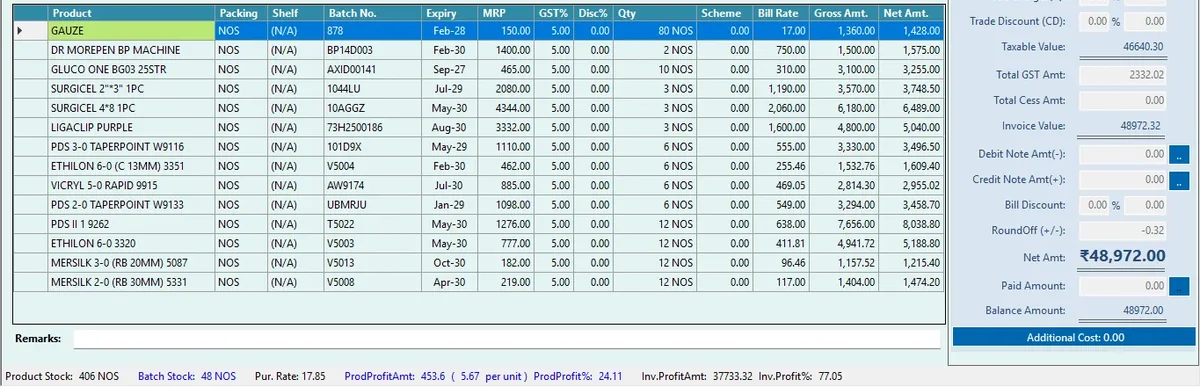
Short-expiry stock is caught at the door
Every purchase line has its batch and expiry date (as month and year, such as 11/27). If a supplier sends stock that is close to expiry, KeyPrime shows a Near Expiry alert while you enter the bill, before it becomes your problem.
- Batch and expiry on every purchase line
- Near Expiry, high-rate and profit alerts
- Supplier bills imported with batch and expiry, not retyped
The nearest expiry goes out first
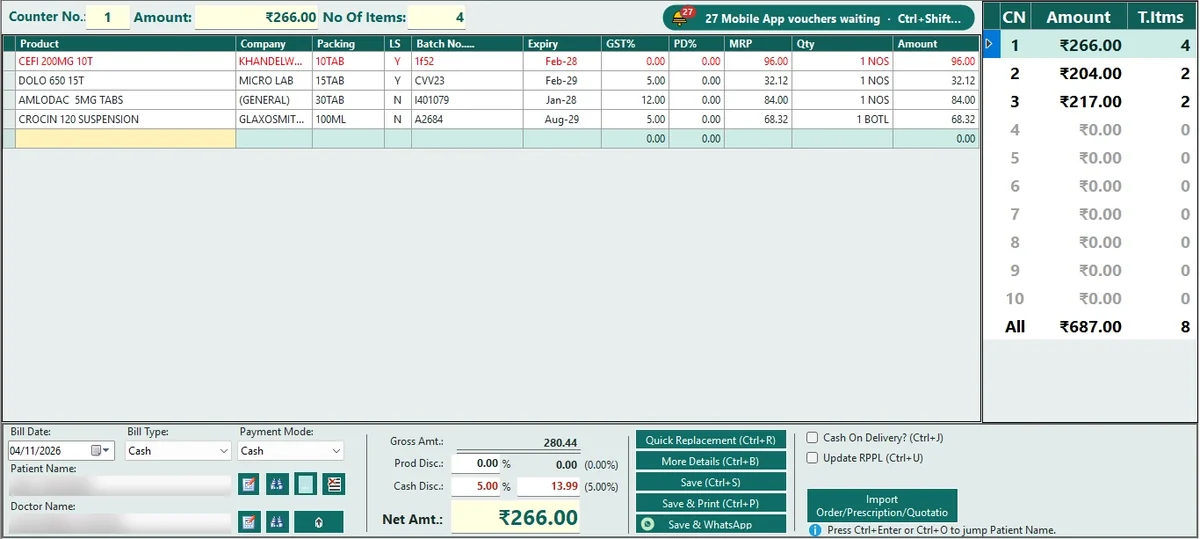
At the counter KeyPrime shows live stock batch by batch, with the nearest expiry first, so older stock is sold before it expires. Staff see the stock and expiry of every batch right on the bill.
- Live stock while billing, batch by batch
- Loose tablets and strips from the same batch
- Batch-wise stock on the bill and in every report
The owner sees what is about to expire
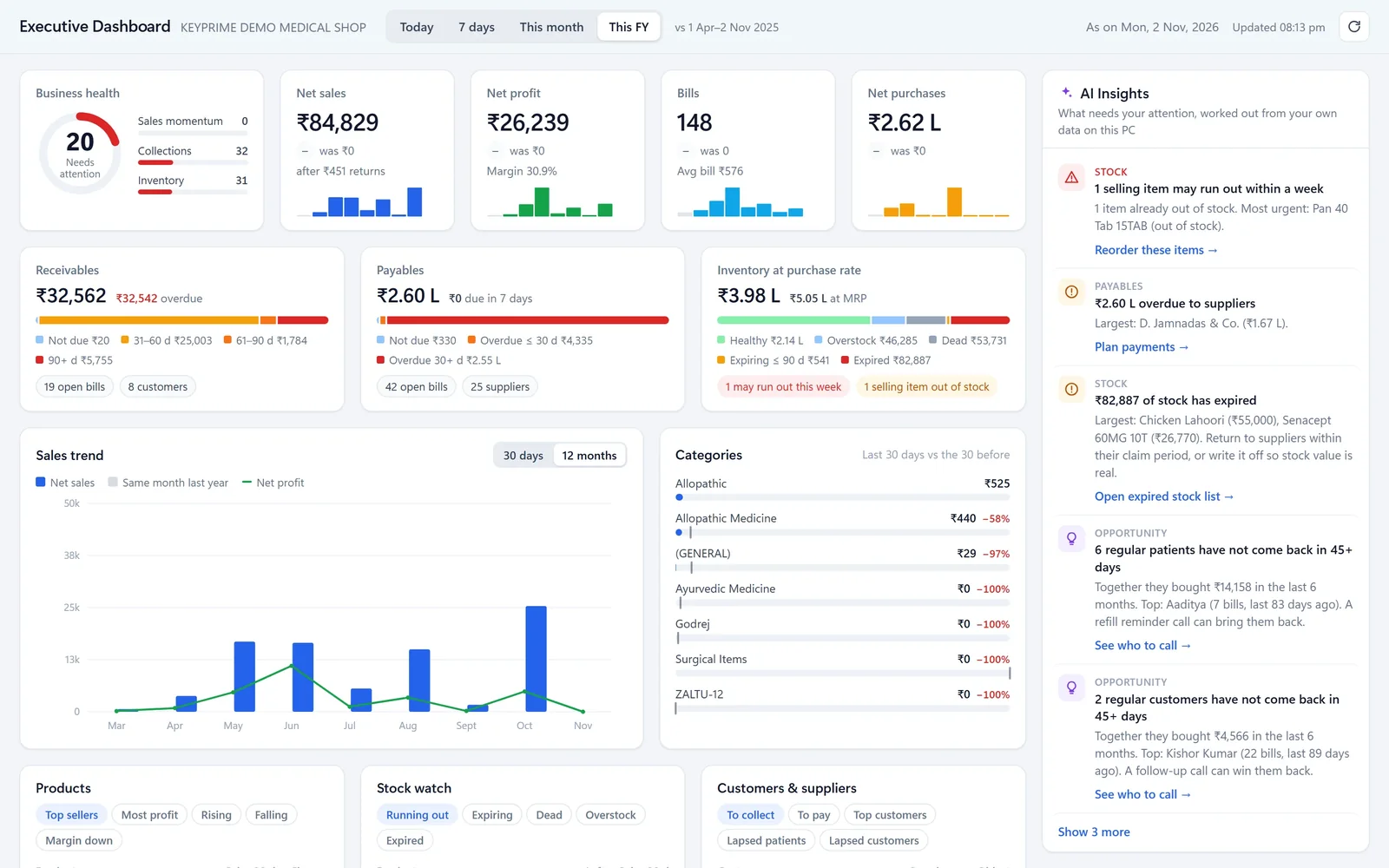
The Executive Dashboard lists batches that expire within 30 days and expired batches still in stock. The business alert "Stock expiring soon" and the Near Expiry Products report tell you what to sell first or send back, and the MIS Center forecasts the expiry loss in rupees.
- Expiring and expired batches on the dashboard
- Near Expiry Products report
- Expiry Loss Forecast in the MIS Center
What else you get
Expiry returns in one key
In Purchase Return, Ctrl+X fills the expired, broken or non-moving batches for you, with supplier, bill number and date.
Stock Loss for the rest
Goods the supplier will not take back are taken out of stock and posted to the Loss Of Stock account.
Physical stock count
Count by typing or by scanning each batch, and match the books to the shelves.
Dead and slow stock
Stock ageing, dead and slow stock and reorder suggestions, so you buy only what sells.
Purchase orders from sales
Orders worked out from sales and stock levels, so you do not over-buy short-dated stock.
For pharma distributors too
The same batch and expiry control in wholesale billing and sales returns.
Questions we are asked
More answers in the FAQs and the Knowledge Center.
Also see: Medical store billing software · Pharma distributor software · Retail billing software · GST billing software · Billing software in Mumbai and Thane · Switch to KeyPrime · all industries · all features.
See KeyPrime on your own business
A free, no-obligation demo over a call or in person in Mumbai and Thane. Leave your number and we call you back.